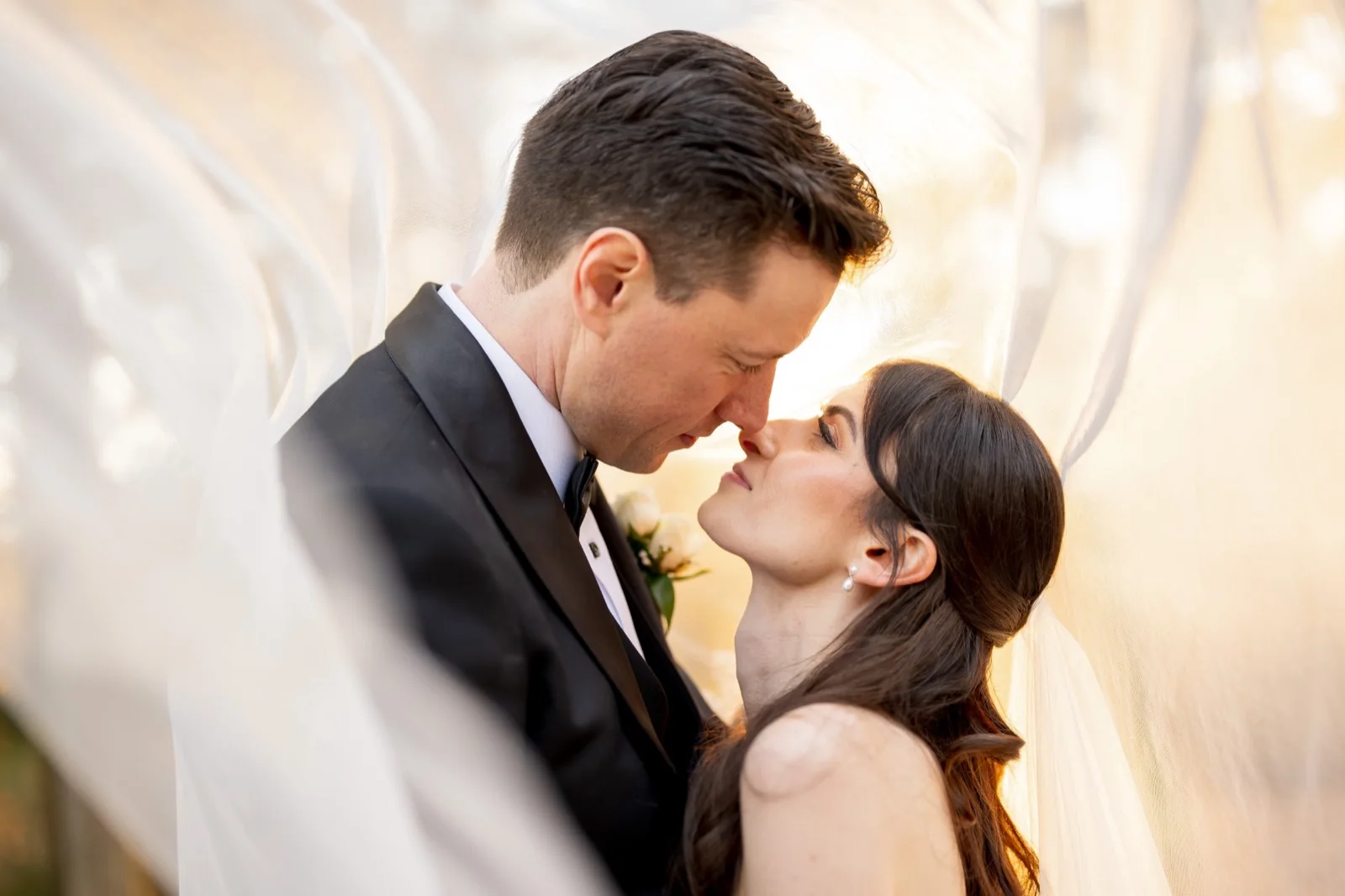
Still keeping those
MASSIVE RAW files?
Your photographs are worth keeping. The unnecessary gigabytes aren't. Take back your storage, keep control of your image quality, and get ahead of camera compatibility headaches.
NEW IN 1.1 Shrink your Lightroom catalog in one step, while keeping everything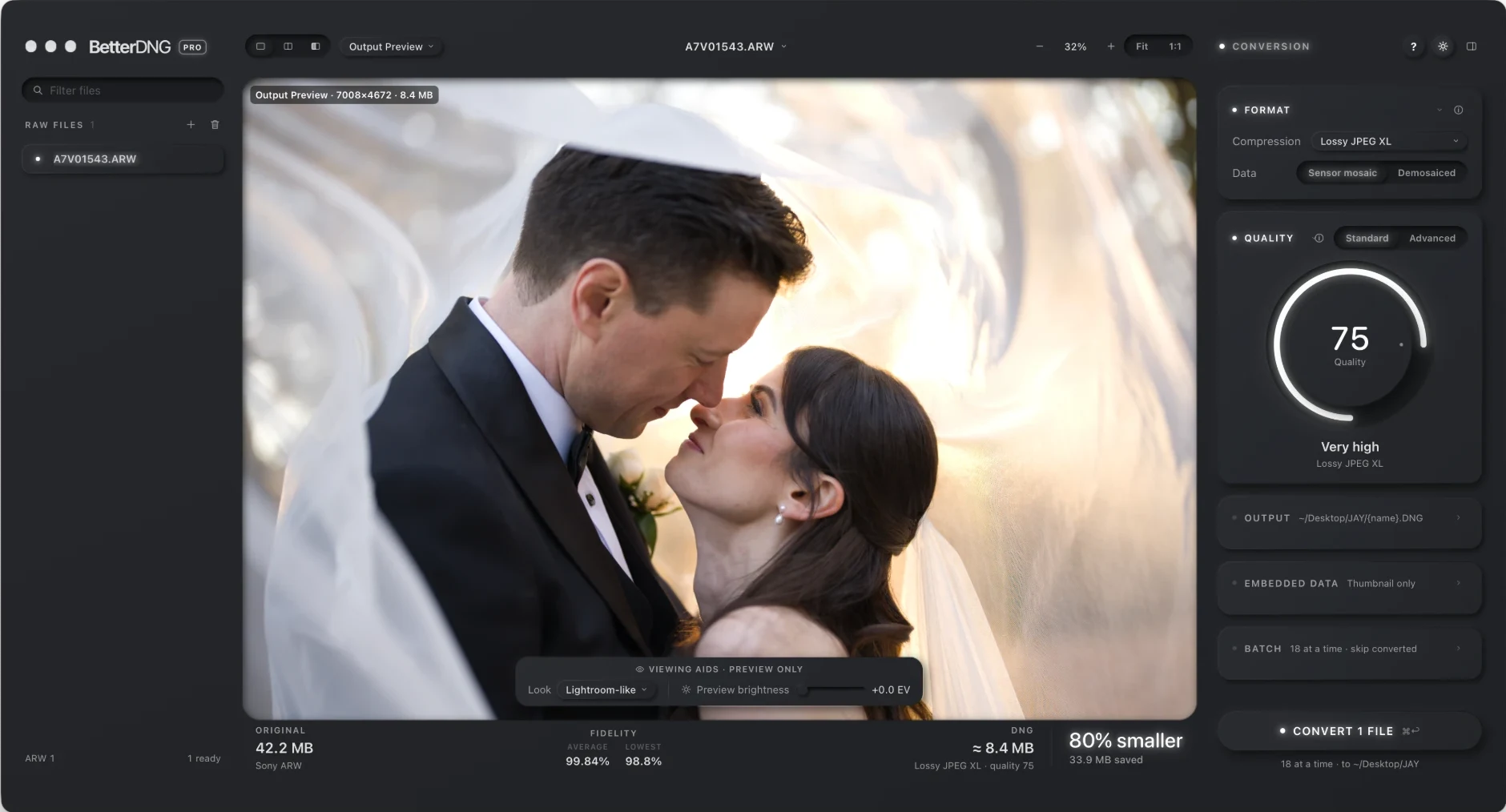
Everything your RAWs need.
Nothing they don’t.
A fraction of the size.
Your RAWs as DNGs that edit like the originals, at the quality you choose.
LIGHTROOM ARCHIVAL NEWShrink a whole catalog.
One step, every edit kept: masks, Denoise, generative fills and all.
NEW CAMERASDay 1 new camera support.
RAWs from cameras your editor doesn’t support yet, as DNGs it opens now.
YOUR QUALITYComplete control over your quality.
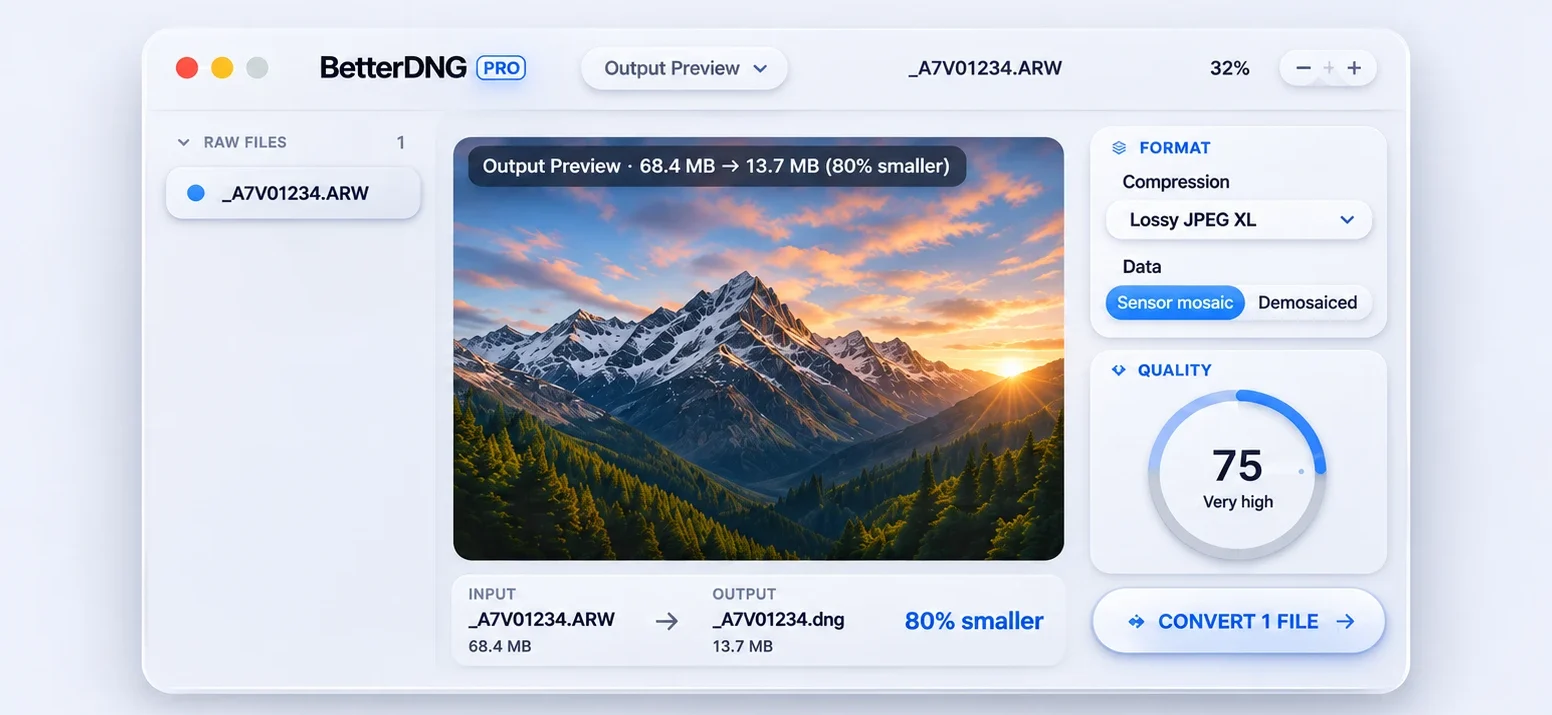
From compact to bit-for-bit lossless, with a live side-by-side preview.
YOUR WORKFLOWThe right settings for you.
Four questions about how you edit, and BetterDNG recommends the rest.
YOUR SAVINGSSee what you’d get back.
How much space your RAW library could free up.
This is what less looks like.
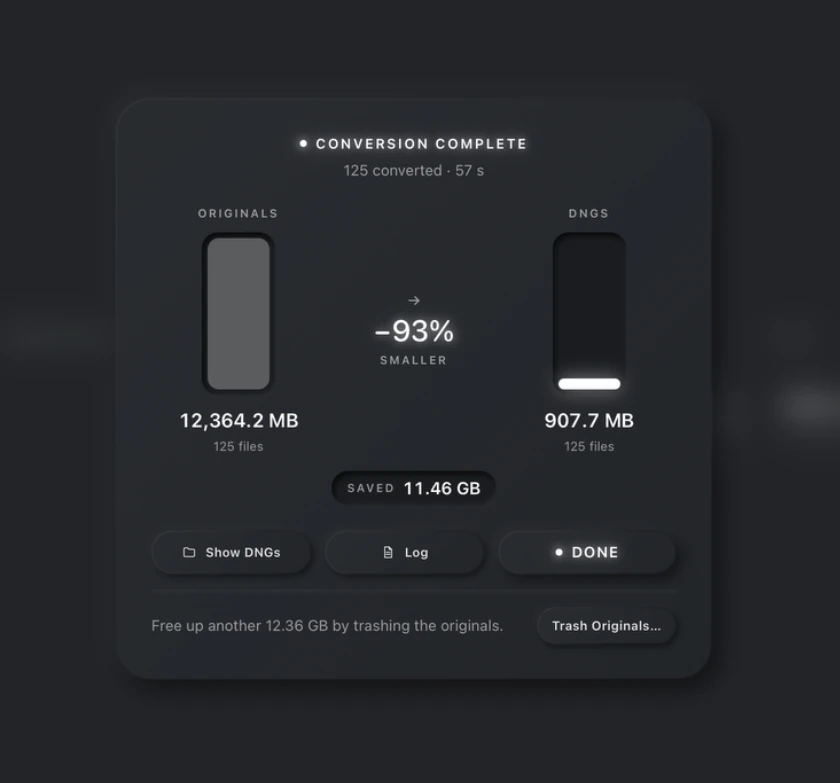
Not a hypothetical. An actual batch from BetterDNG Pro. Same shoot, a radically smaller footprint.
IN THIS REAL RUN
Actual output from a 125-file batch. This example combines the selected output resolution and compression settings; results vary by camera, image content and chosen options.
Shrink your Lightroom catalog in one step.
Keep everything.
Drop a Lightroom Classic catalog on BetterDNG Pro. Every raw becomes a DNG in the same folders, and a new catalog opens on them exactly as you left it. Included with a BetterDNG Pro licence.
Drop in your catalog.
Quit Lightroom, drop the .lrcat and pick the folders, the quality, and whether the edits go into a new catalog or inside each DNG.
Everything comes along.
Edits, history, AI masks, Denoise, Raw Details, Super Resolution, generative fills, collections, keywords and virtual copies.
Lighter AI data too.
Denoise layers and generative fills are stored more efficiently, with no visible difference. Your original catalog and raws are never changed.
- 212 raws → DNG
- 8.00 GB → 2.77 GB
- Denoise layers
- 665 MB → 413 MB
- Unused fill alternatives
- 2.2 MB removed
- Catalog and AI data
- 681 MB → 426 MB
Photography should take up your time.
Not your entire hard drive.
Your new camera is ready.
Why isn't your software?
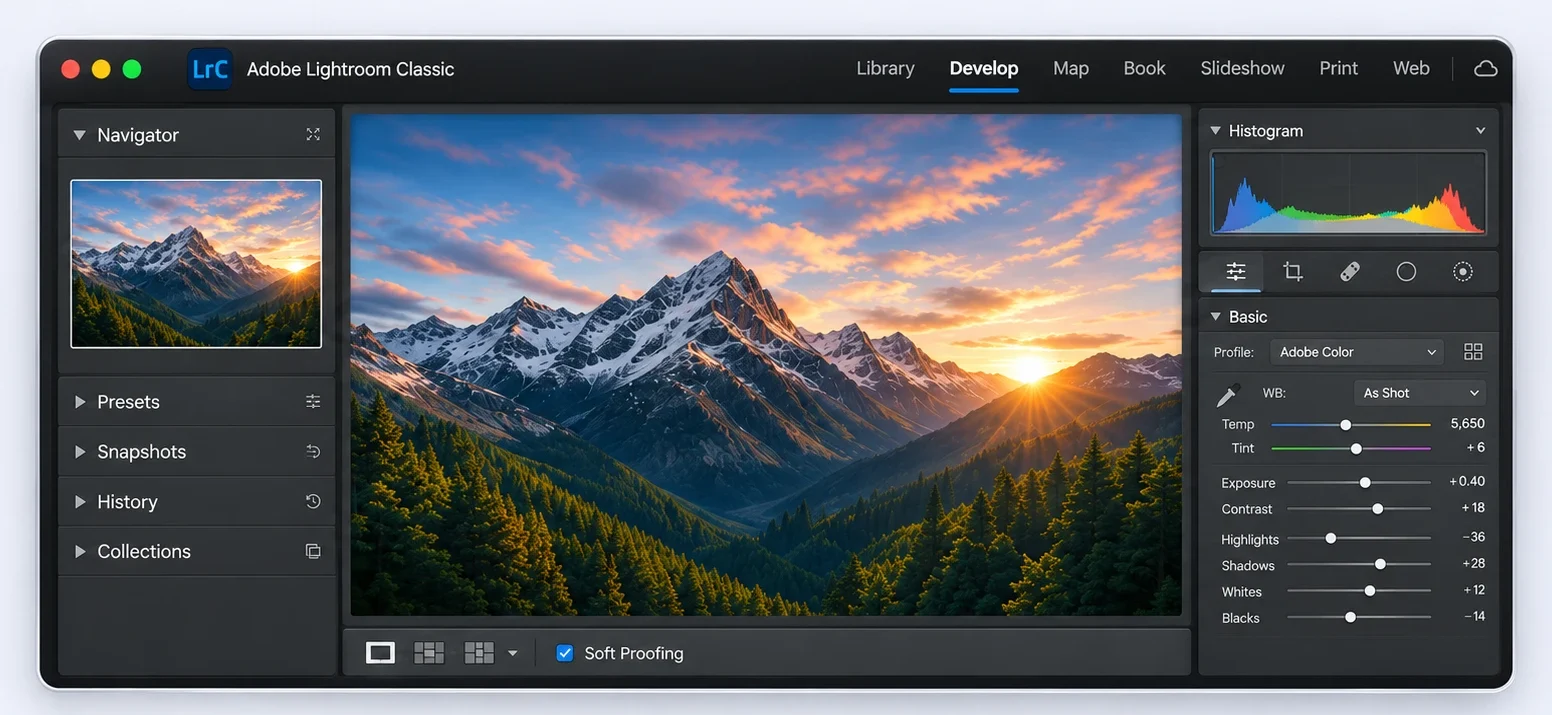
New camera, new RAW format, and your editor isn't ready for it yet. Here's how BetterDNG Pro gets you editing today.
-
01THE PROBLEM
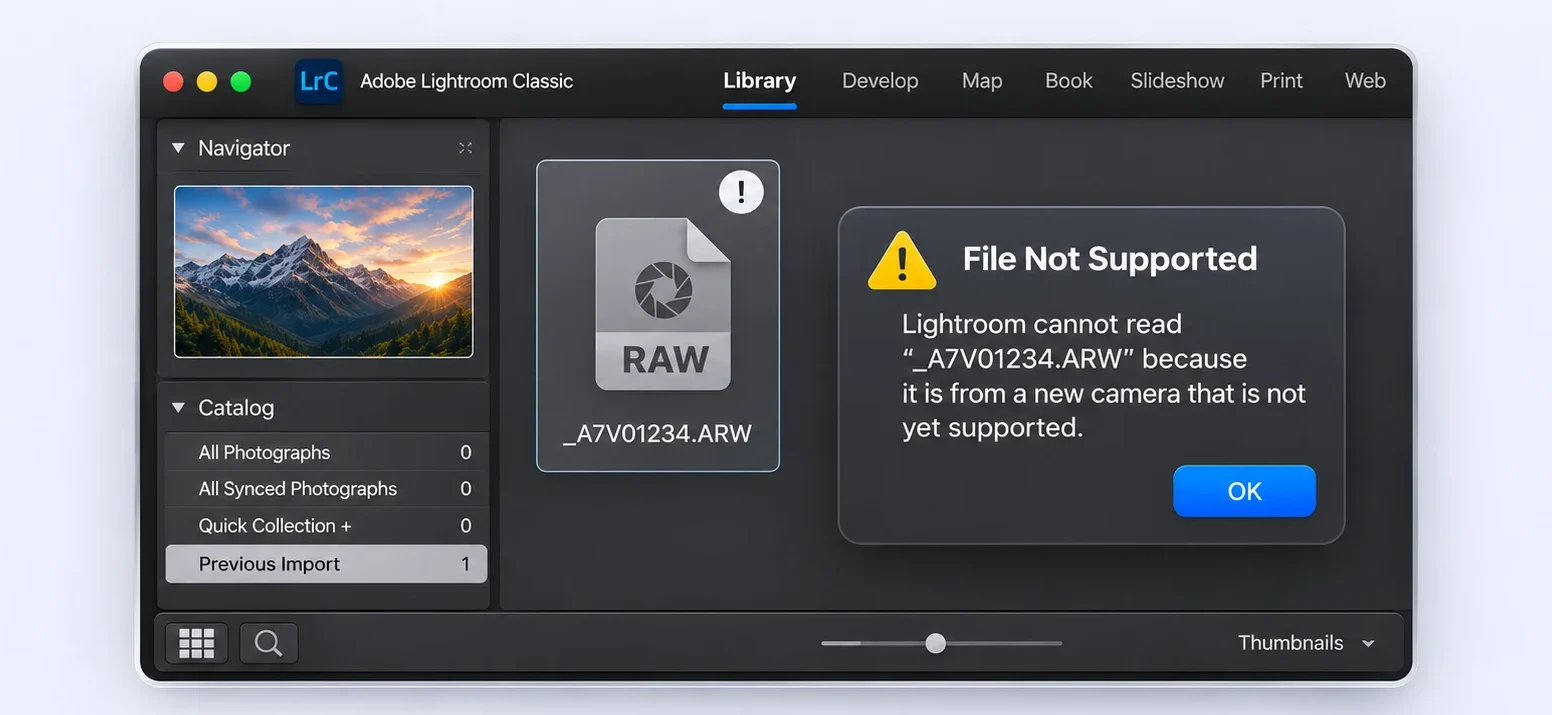
A new camera RAW that Lightroom doesn't support yet.
You import your first shoot and Lightroom stops you: the camera is too new. Native support can be months away.
-
02THE SOLUTION
Convert the RAW to a standard DNG with BetterDNG Pro.
Drop the files in. BetterDNG Pro reads RAWs from many cameras your editor doesn't know yet, even unreleased ones, and writes standard DNGs, as small as you like.
-
03THE RESULT
Open and edit the same photograph in Lightroom.
Import the DNGs and edit as usual, with the camera's full sensor data and every Develop tool. Start now, not when native support catches up.
Nobody knows your standards better than you.
Want the smallest files? Go for it. Want to preserve every sensor value? You can do that too. BetterDNG gives you real control over the trade-off.
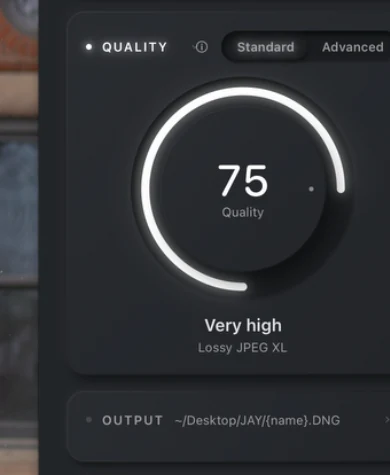 PRECISE. SIMPLE. YOURS.
How much of your archive could you get back?
You know how quickly RAWs fill a drive. Pick a quality level from the app and see what it would give back.
Reductions measured with BetterDNG Pro on 150 uncompressed RAWs from a Sony A7C II (33 MP, mostly ISO 100–1600), keeping the sensor mosaic, at standard settings. RAWs your camera already compresses shrink less. Your results depend on your camera, photographs and settings.Indistinguishable in real-world editing: you’d need extreme pushes, a deep zoom and a before/after toggle to spot it.
87% smallerFind your ideal RAW workflow.
Four quick questions. You’ll get the settings that fit how you work, and how much space you’ll save.
The same advisor is built into the app, with the same answers. It runs in your browser; nothing you choose is sent anywhere.More photographing.
Bring a shoot. Choose your settings. Let BetterDNG claim your space back, locally on your computer.
Drop in your RAWs.
A photograph or a whole shoot. BetterDNG handles batch processing.
Set it your way.
Choose the quality, format and destination. Keep the settings you use most within reach.
Get your space back.
See exactly what was converted, how long it took, and how much storage you saved.
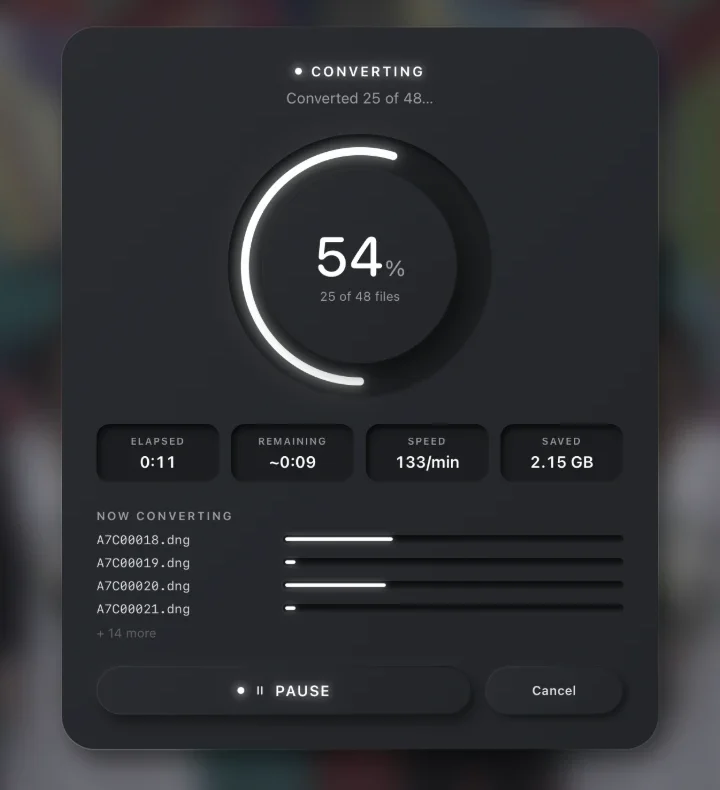 A REAL BATCH · 48 SONY RAW FILES
100 conversions.
Every format.
Download BetterDNG Pro and convert 100 files on your computer, with nothing held back: every format, the live preview, the full quality range. Lightroom Archival comes with a licence.
Licences are available soon. A licence key unlocks unlimited conversions on two computers and is entered right in the app.
Keep the photographs.
Lose the baggage.
Smaller RAWs. Your choice of quality. The freedom to keep shooting.